
Download SignalSpy – Real‑Time Audio Frequency Analyzer & Oscilloscope Tool
SignalSpy is a professional‑grade audio analysis application that brings recording‑studio quality oscilloscope technology to your desktop or laptop. Designed for audio engineers, producers, and hobbyists alike, SignalSpy delivers real‑time visualization of audio frequencies across a broad range of sample rates. Whether you are fine‑tuning a mix, diagnosing problematic resonances, or simply exploring the spectral content of a live instrument, SignalSpy offers a reliable, responsive, and visually intuitive interface. The software supports Windows, macOS, and even mobile platforms, ensuring that you can capture and analyze sound wherever you work. Its core strength lies in the precision of its FFT engine, low latency processing, and a flexible set of measurement tools that make it indispensable for any audio professional looking to deepen their understanding of sound.
Key Features that Set SignalSpy Apart
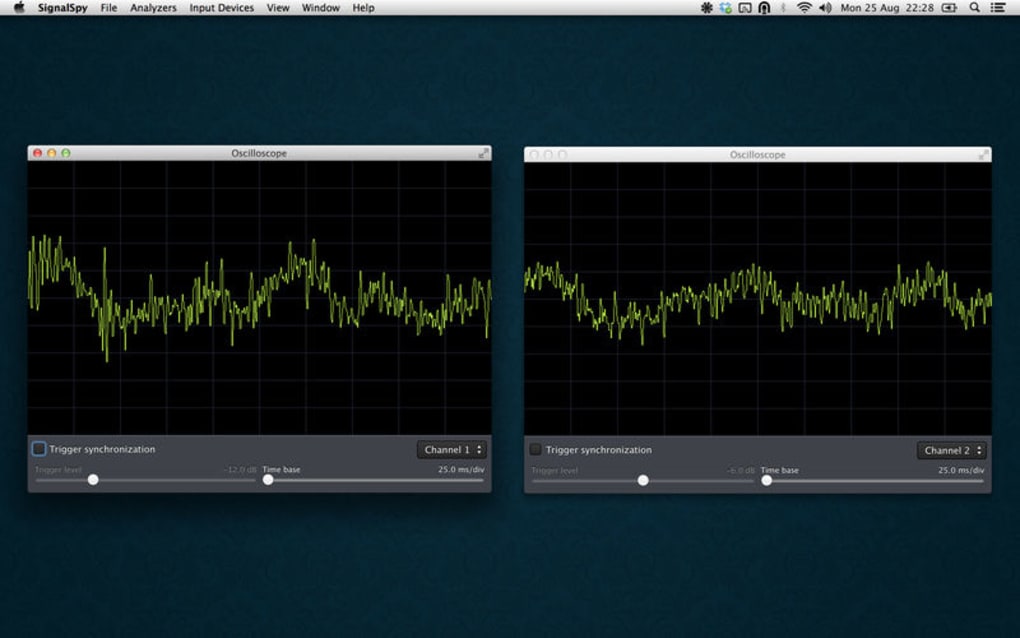
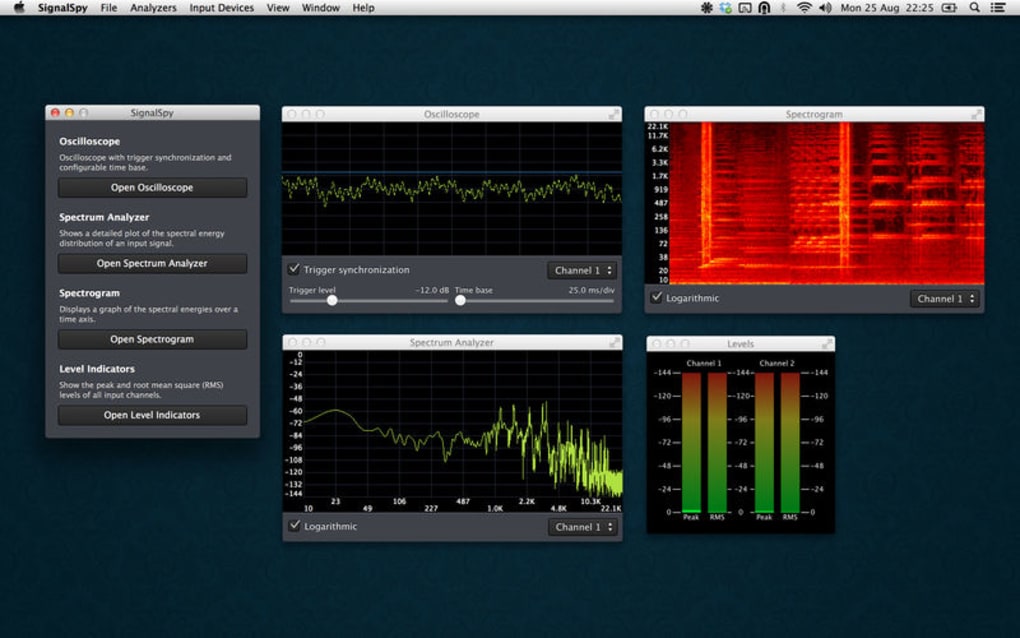
- Real‑time Oscilloscope View: High‑resolution waveform display with adjustable time‑base and trigger options.
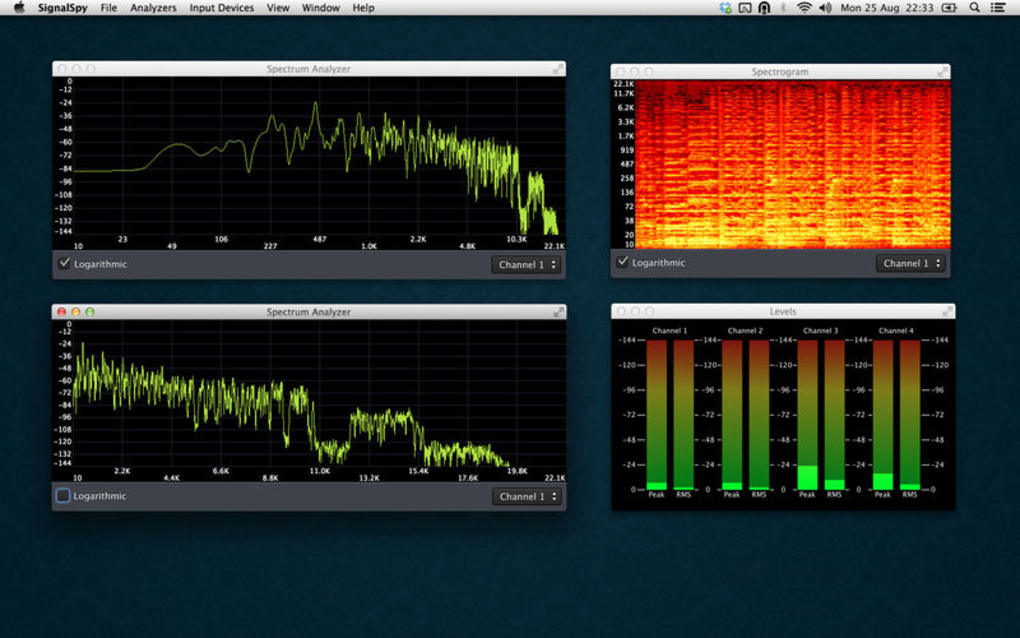
- Full‑Spectrum FFT Analyzer: Up to 96 kHz bandwidth, selectable FFT sizes, and waterfall display for continuous monitoring.
- Multi‑Rate Support: Handles 44.1 kHz, 48 kHz, 96 kHz, and higher sample rates without sacrificing accuracy.
- Customizable Measurement Tools: Peak hold, RMS, harmonic distortion, and spectral centroid calculations.
- Export & Reporting: Save screenshots, CSV data, and PDF reports for documentation or client delivery.
- Cross‑Platform Compatibility: Native builds for Windows 10/11, macOS 11+, and companion apps for Android and iOS.
- Low‑Latency Audio Input: Direct ASIO, CoreAudio, and WASAPI support for near‑instant feedback.
- Dark & Light Themes: Optimized UI for studio lighting conditions.
- Extensible Plug‑in Architecture: Add‑on SDK for developers to create custom analysis modules.
Installation, Usage Instructions & Compatibility
Getting SignalSpy up and running is straightforward, thanks to its guided installer and clear documentation. Follow these steps for a smooth experience:
Windows Installation (10/11)
- Download the SignalSpy_Setup.exe file from the official website.
- Run the installer and accept the license agreement.
- Choose the installation folder (default is
C:\Program Files\SignalSpy). - Select optional components such as the ASIO driver bundle and the PDF report generator.
- Click “Install” and wait for the process to complete; a shortcut will be placed on your desktop.
- Launch SignalSpy, grant microphone or line‑in access, and you’re ready to analyze.
macOS Installation (11 Big Sur and later)
- Download the SignalSpy.dmg package.
- Open the DMG and drag the SignalSpy icon to the Applications folder.
- On first launch, macOS will request permission to access audio devices; approve this in System Preferences > Security & Privacy.
- If you plan to use CoreAudio low‑latency mode, install the optional “Audio Driver Helper” from the preferences panel.
Mobile Apps (Android & iOS)
Mobile versions are available on Google Play and the Apple App Store. After downloading, open the app, grant microphone permission, and select the input source (built‑in mic, USB audio interface, or Bluetooth). The UI adapts to touch controls while preserving the same analysis depth as the desktop version.
Supported Operating Systems: Windows 10/11 (64‑bit), macOS 11+ (Intel & Apple Silicon), Android 9+, iOS 13+.
Once installed, using SignalSpy is intuitive. The main window is divided into three panels: the oscilloscope at the top, the FFT spectrum in the middle, and a toolbar of measurement tools at the bottom. You can drag and drop audio files for offline analysis or select a live input for real‑time monitoring.
The toolbar lets you toggle features such as peak hold, change FFT size (256‑8192 points), and switch between linear and logarithmic frequency scales. For precise work, enable the “Cursor” mode to read exact frequency and amplitude values directly from the graph. All settings are saved automatically, so your custom layout persists across sessions.
Conclusion: Pros, Cons, FAQ and How to Get Started
Pros
- Exceptionally low latency, suitable for live monitoring.
- Broad sample‑rate support and professional‑grade FFT accuracy.
- Cross‑platform availability ensures continuity across desktop and mobile.
- Rich export options streamline reporting for clients or academic work.
- Extensible plug‑in system invites community‑driven enhancements.
Cons
- Advanced features (e.g., plug‑in SDK) are only available in the paid Pro tier.
- Initial learning curve for users unfamiliar with spectral analysis.
- Mobile version lacks some desktop‑only measurement tools.
Frequently Asked Questions
Can SignalSpy work with external audio interfaces?
Yes. SignalSpy supports ASIO (Windows), CoreAudio (macOS), and USB‑Audio class drivers. Simply select the external interface as the input source in the preferences panel.
Is there a free version available?
SignalSpy offers a fully functional free tier that includes the oscilloscope, basic FFT, and limited export options. The Pro license unlocks advanced measurement tools, higher FFT resolutions, and the plug‑in SDK.
How often are updates released?
The development team publishes minor updates every 4‑6 weeks and major feature releases roughly twice a year. Update notifications appear within the app, and users can enable automatic downloads.
Can I analyze pre‑recorded audio files?
Absolutely. Drag‑and‑drop any WAV, AIFF, or FLAC file onto the main window to view its spectral content. The same measurement tools used for live input are available for offline analysis.
Is my data secure when using SignalSpy?
SignalSpy processes all audio locally; no recordings are sent to external servers unless you explicitly use the cloud‑share feature. The software complies with GDPR and includes encrypted storage for saved reports.
If you’re ready to elevate your audio workflow with precise, real‑time frequency analysis, download SignalSpy today. The free edition gets you started instantly, and the affordable Pro upgrade unlocks the full suite of professional tools. Experience a studio‑grade oscilloscope without the hardware cost—your mixes, mastering sessions, and sound‑design projects will thank you.







